

Employee Mappings
While most mappings can be applied to your file or all employees, the type field can also be mapped to different values for each employee. You can map a value in your file to different earnings rates or pay items per employee. You can also set an optional default value for all employees that do not have a specific value set. Review Mapping applies Type / Earnings Rate / Pay Item mappings to all employees. To make an employee-specific exception, use Map on the relevant row and select Apply mapping to this employee only. An employee-specific exclusion removes that type only for that employee. Suggestions are optional, and they are saved only when you apply them.Setup
To create an employee mapping, validate a file in Xero, then click the create mapping link in the error message. Follow the instructions for creating a mapping. Note: Employee mappings are created during validation, not from the Mapping menu. Select Apply mapping to this employee only before saving the mapping.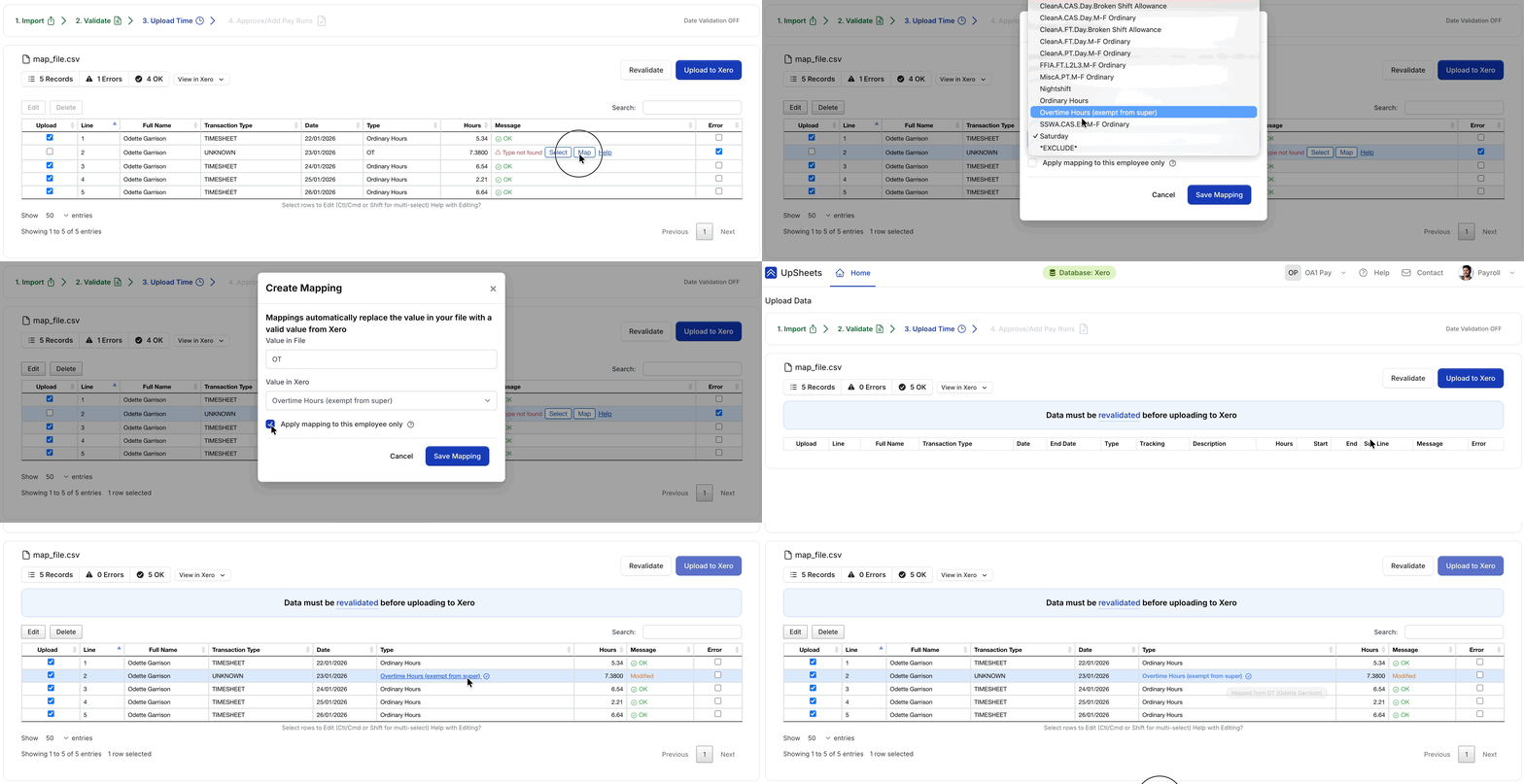
Creating an employee-specific mapping
Applying an employee mapping when a default already exists
If a mapping exists for all employees and you want a different value for one employee, click the mapping link to open the Edit Mapping window.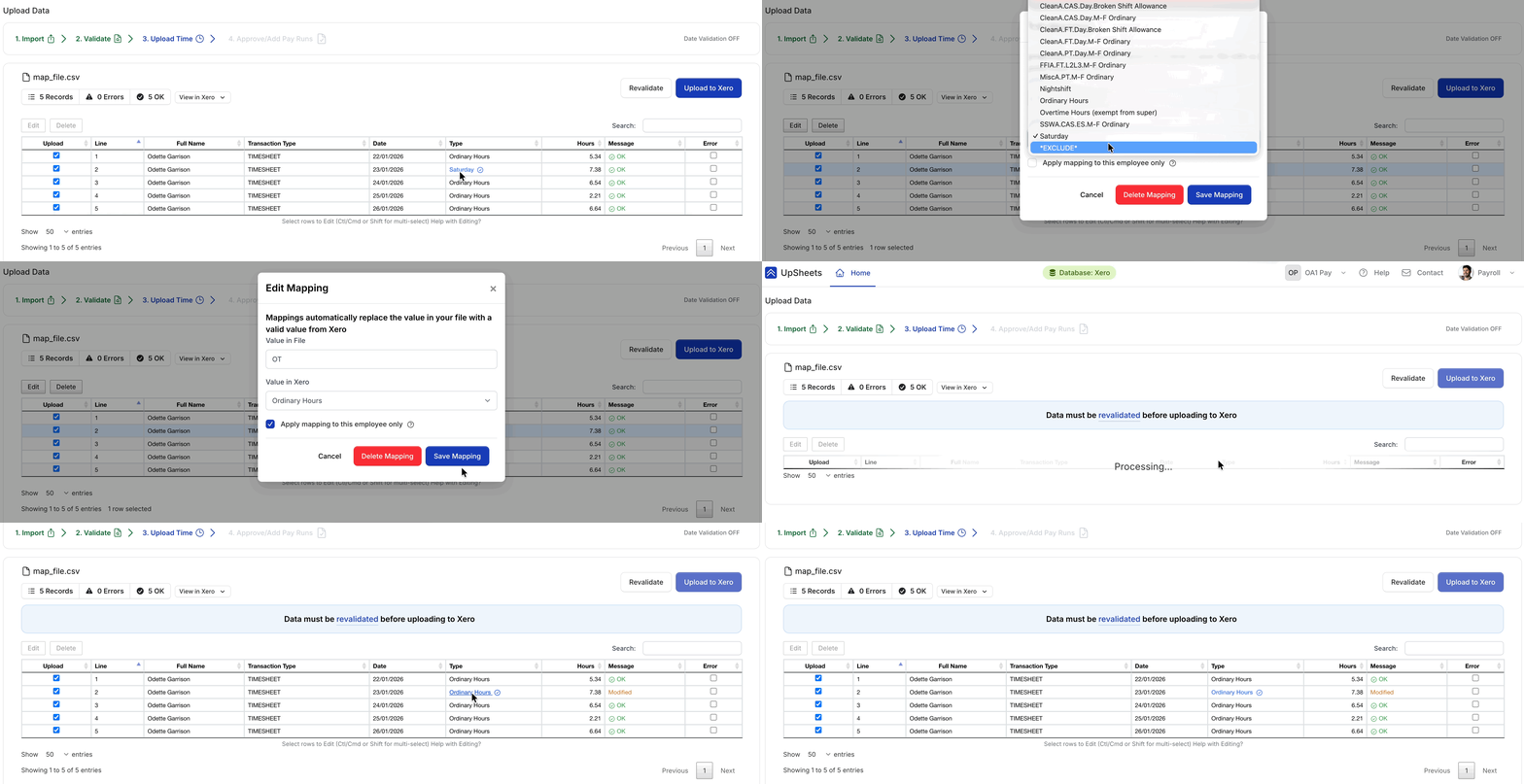
Editing an employee mapping with default