

Upload allowances to payslips
This article is for Australian Xero users; setup and features are specific to that region. NZ allowances can be uploaded as usual via Payslips. UK users cannot currently upload to Payslips until Xero enables it. See Payroll (NZ & UK) overview.
- Have Rate Type = Multiple; or
- Have Rate Type = Rate per unit and Type of units = hours; or
- Have Rate Type = Rate per unit and Type of units = the same time unit used for the employee’s Ordinary Earnings Type (
Days,Weeks, etc.)
Pay Item Setup
Below are the main ways allowance pay items can be set up in Xero: Download a sample CSV fileFixed Amount
A fixed allowance lets you upload a fixed dollar amount to the payslip for an employee. The upload file must contain:first_nameandlast_name, orfull_nametype(the name of the Pay Item)rate(the total dollar amount)calculation_type(FIXED AMOUNT)
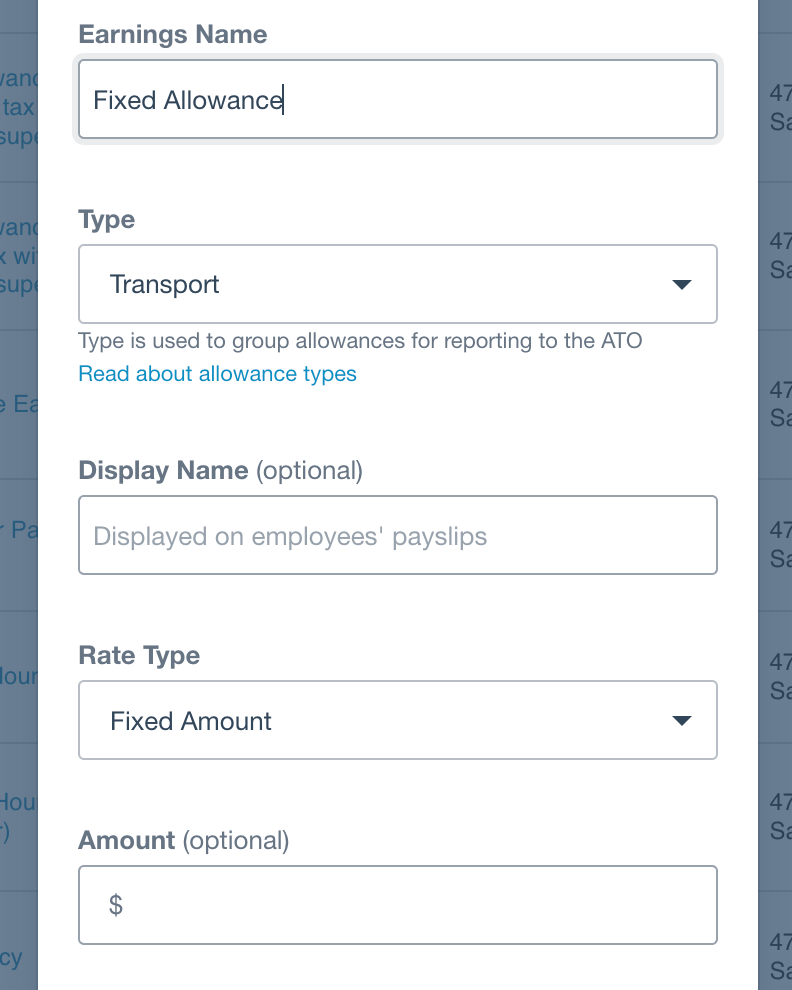
Fixed Amount Allowance setup in Xero
Rate per Unit
A rate per unit allowance lets you upload a rate and a unit to the payslip for an employee. The upload file must contain:first_nameandlast_name, orfull_nametype(the name of the Pay Item)rate(the rate per unit)hours(the number of units)
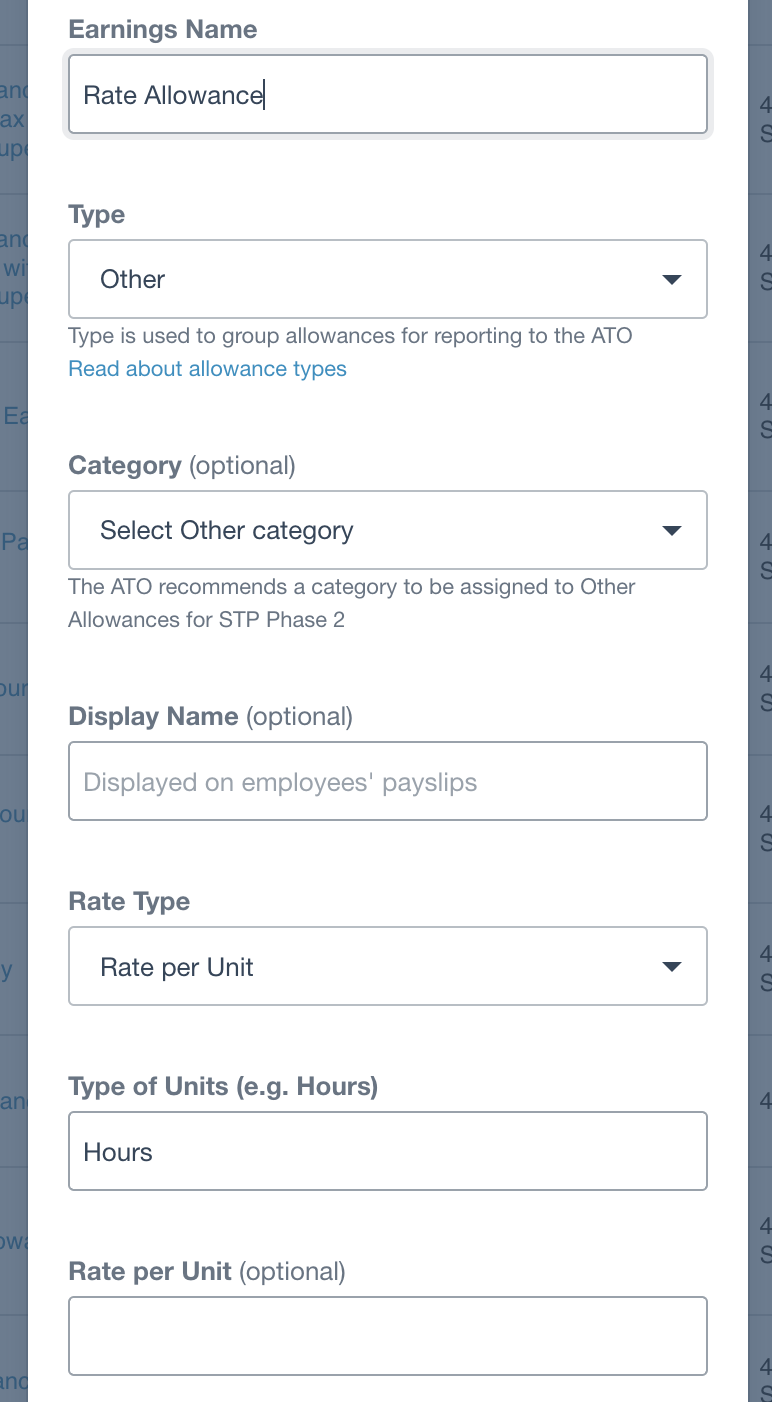
Rate Per Unit Allowance setup in Xero
Rate per Unit (Preset)
A rate per unit (preset) allowance lets you upload the number of units to the payslip when the rate is set on the Pay Item in Xero. The upload file must contain:first_nameandlast_name, orfull_nametype(the name of the Pay Item)hours(the number of units)
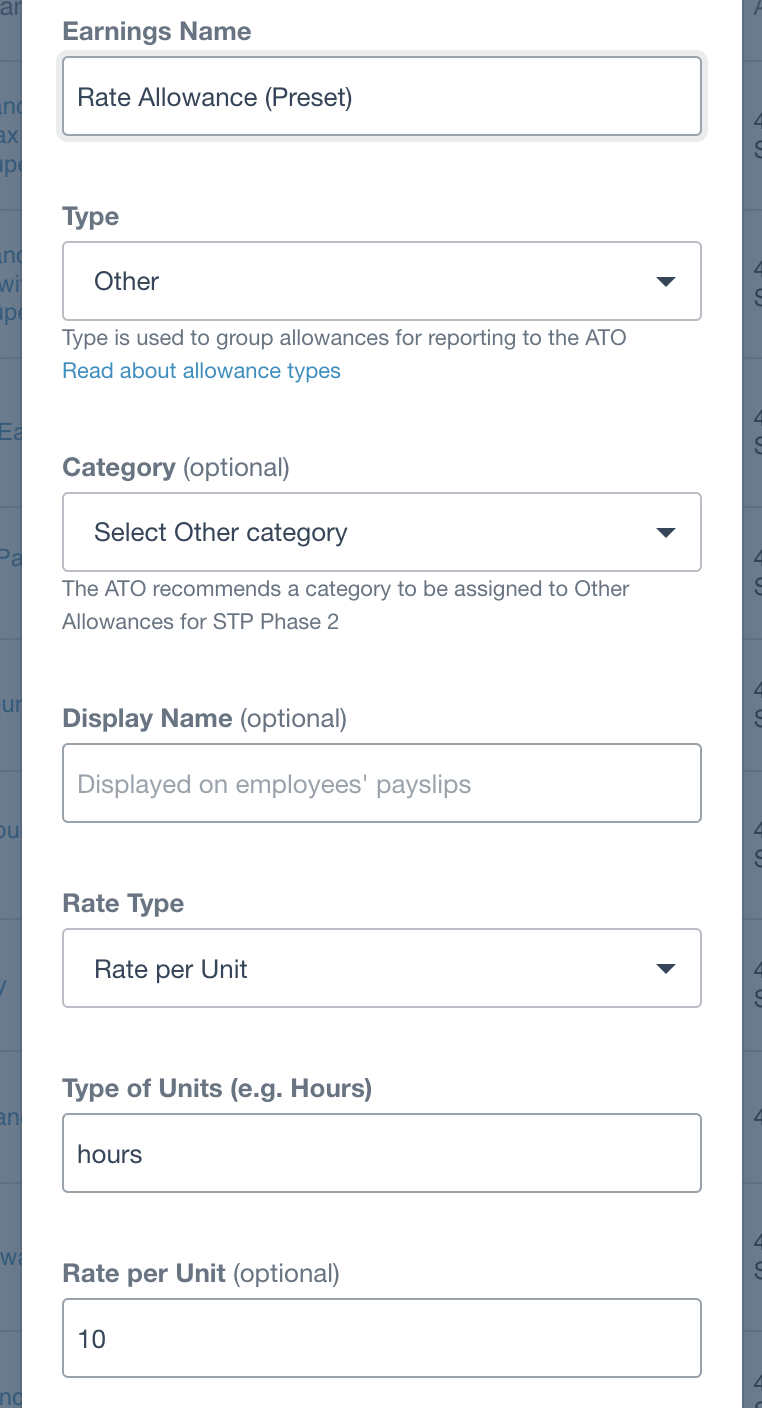
Rate Per Unit Preset Allowance setup in Xero
Multiple
Multiple allowances let you upload the number of units that are a multiple of the ordinary earnings rate for each employee. These must be uploaded as timesheet lines or validation will likely fail on the payslip upload.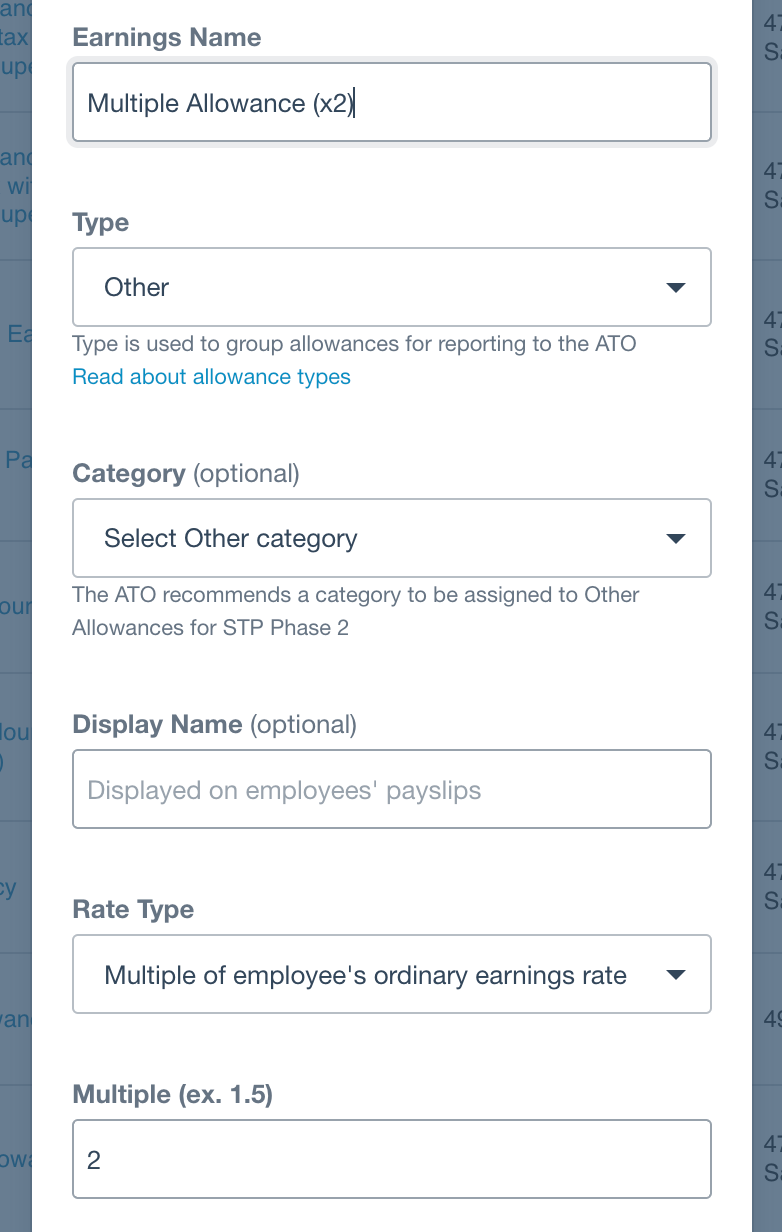
Multiple Preset Allowance setup in Xero
Upload and validation
The Payslips upload option is required to add allowances to a payslip; the payslip must already exist in Xero. When validated, the allowances appear as below:
Allowances validated in UpSheets
Payslip
After upload, the allowances appear on the payslip in Xero as shown below: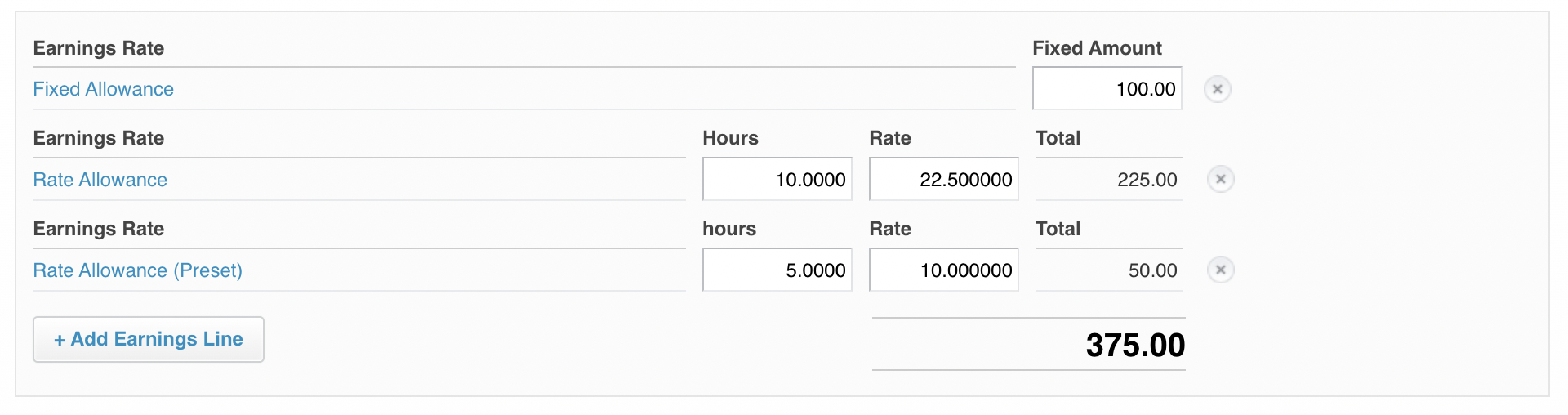
Allowances on payslip in Xero