

How the payroll workflow works
The diagram below shows the full process for uploading timesheets, leave and payslips, but you only need to complete the parts that relate to the transactions you want to upload. For Australian payroll with award-based ordinary time, overtime, and allowances, see the supported modern award pay rates and Award Library overview.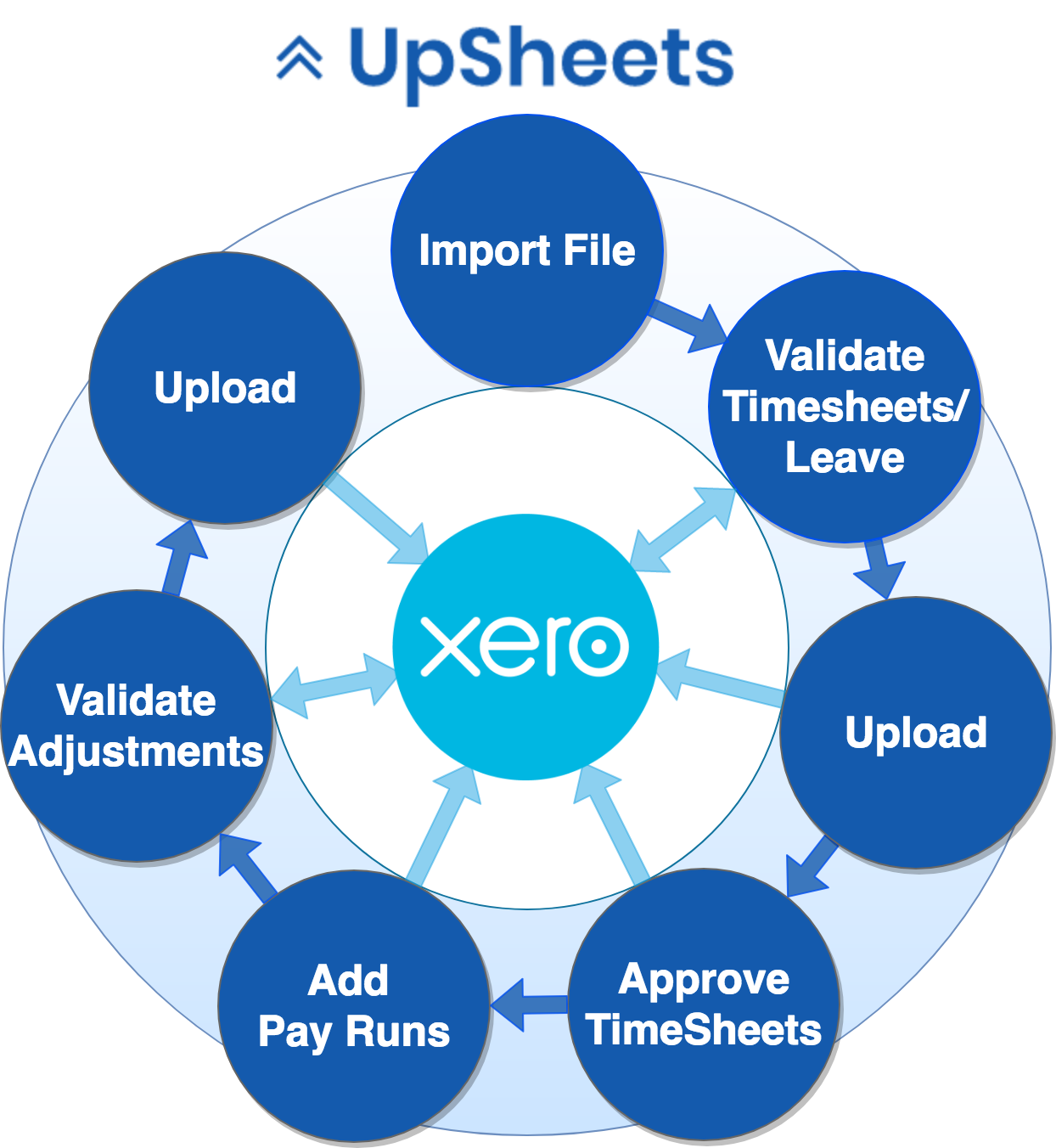
UpSheets process flow diagram
Process Flow
You can perform the bulk of the payroll process from UpSheets, including approving timesheets and creating pay runs. The only thing you need to do in Xero is review and post the pay run.1
Import file
Import a file to UpSheets containing timesheets or leave applications.
2
Validate
Validate timesheets and leave with data held in Xero.
3
Review Mapping (optional)
After validation, select Review Mapping to check suggested mappings together. Applying a mapping revalidates the file. Unresolved validation errors stay visible and can still be corrected from the table.
4
Upload
Upload validated timesheets and leave applications to Xero.
5
Approve (optional)
Approve timesheets uploaded to Xero.
6
Add pay runs (optional)
Add pay runs in UpSheets to create them in Xero.
7
Validate payslips
Validate payslips contained in the file (earnings, reimbursements, deductions, leave accruals).
8
Review Mapping (optional)
Select Review Mapping for unresolved pay items. Those mappings apply to all employees. Use Map on a row for an employee-specific exception. Values you leave unresolved keep their validation errors.
9
Upload payslips
Upload payslips to Xero.
Xero Data and Transactions
UpSheets requires a number of data elements from Xero to validate uploads. Once data is validated, UpSheets creates or updates timesheets, leave applications and optionally pay runs and payslips in Xero. UpSheets does not update or create any other data elements in Xero.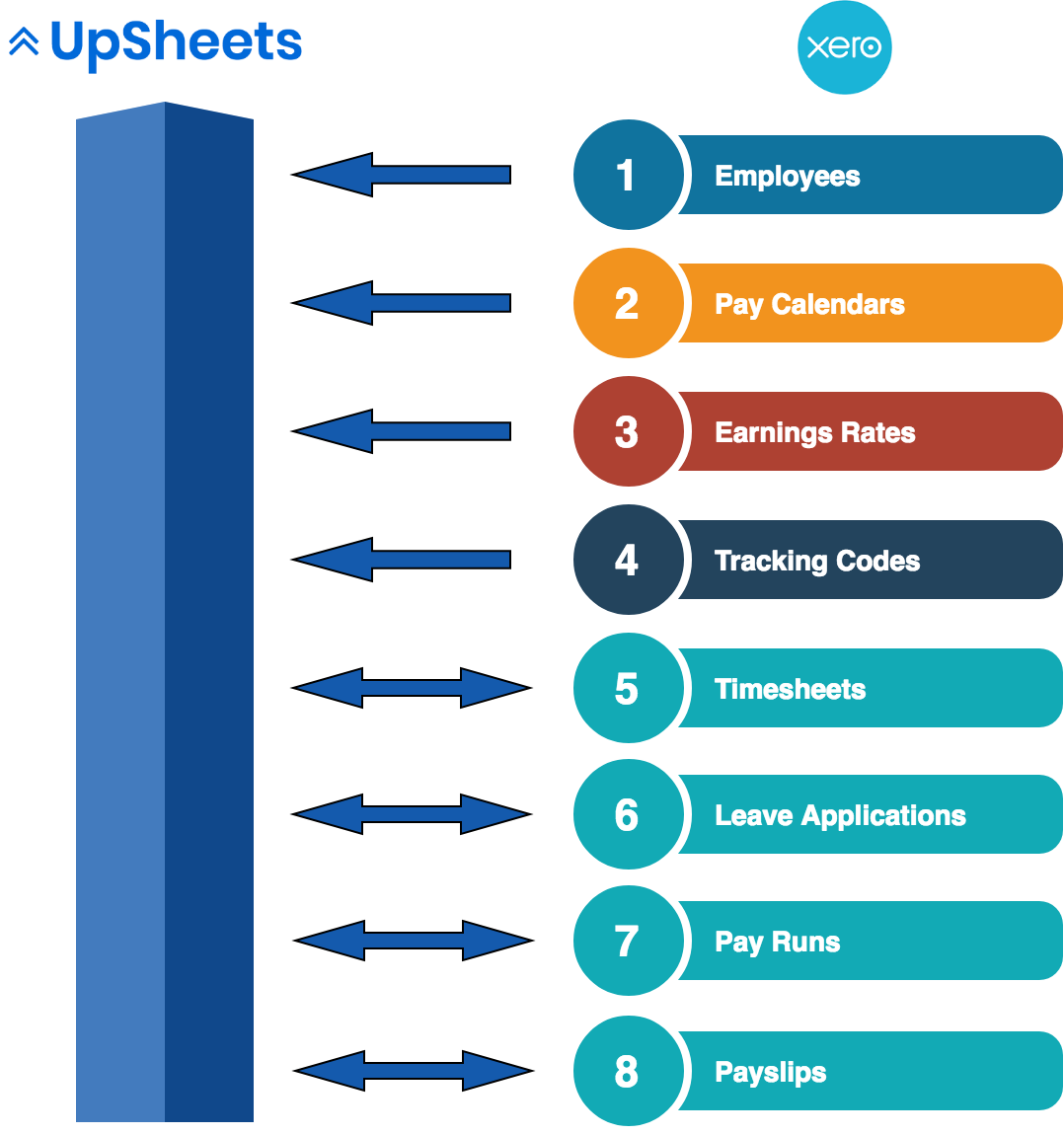
UpSheets data flow diagram