

Import data from RotaCloud
UpSheets allows you to import data directly from RotaCloud to Xero Payroll or Xero Projects. Both timesheets and leave requests can be imported. Register for an UpSheets accountEnable the RotaCloud integration
Before importing your RotaCloud data and uploading it to Xero, enable the RotaCloud integration.Importing
Once enabled, the Import screen will have a new data source for RotaCloud. When you select it, Location, Status, and From / To dates are shown.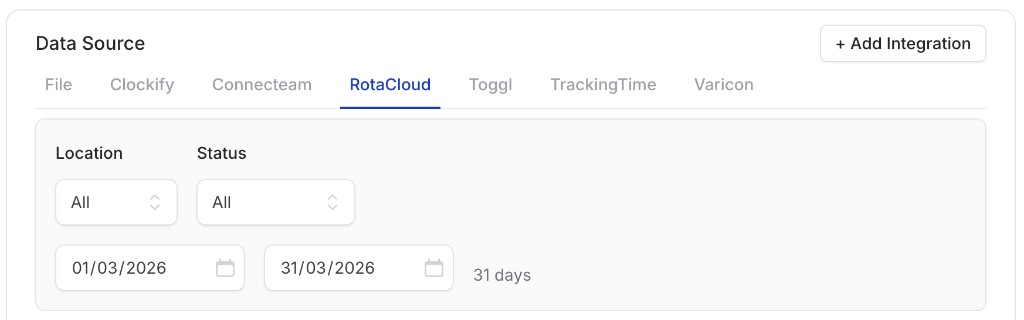
RotaCloud date selection
1
Select date range
Select the From and To dates from which you wish to import data. All time data in RotaCloud will be imported for this range (including all data on the From and To dates). The location and timesheet status can also be filtered.
2
Select transaction types
Select the transaction types and any other import options (or accept the defaults). Click Import Data to proceed.
You can import the data as Timesheets, Leave or Payslips. If you use start/end times in RotaCloud, these can be used with Smart Formulas.
3
Map columns
Imported columns follow the RotaCloud definition – select the columns that map to name, type, hours, date, description, and so on. See Validate options for field details. Click Validate to continue.
4
Validate
UpSheets validates your data.
5
Upload
Click Upload to send your data to Xero Payroll.