

Automatically calculate start and end times from hours
Sometimes your data only has total hours worked, but Smart Formulas need astart_time and end_time. UpSheets can use a default start_time to generate both automatically.
For example, if your file has:
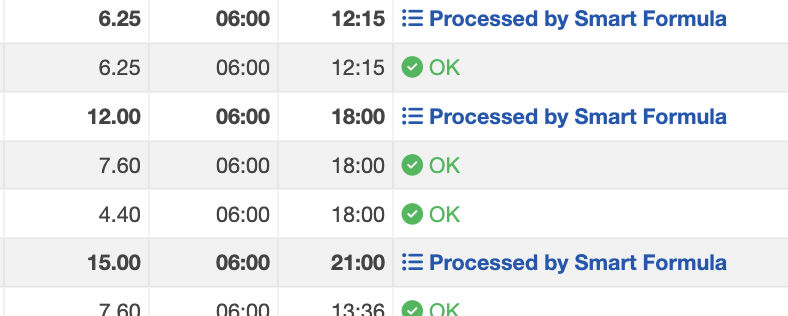
If you set the default
start_time to 06:00, validation will generate:
IMPORTANT: Xero has no concept of start and end times. The times UpSheets generates for Smart Formulas are never sent to Xero and are only used for calculation.
Setup
- Select Settings from the menu and enable Smart Formulas.
- Select the Timesheets tab and enter the desired Start Hour.
start_time and end_time are generated automatically when you validate it.
Start time setting for Smart Formulas