

Xero-Imported Smart Formulas Only
This page applies to Smart Formulas that are imported from Xero pay items.For Smart Formulas configured in UpSheets, see Rostered Days Off (RDO) in UpSheets.
Basic Setup
In some situations you may need to automatically remove time from a shift for an RDO. Below is an example of how this can be done using Smart Formulas. In this scenario, employees usually work 8 hours, but should only be paid for 7.6 hours. Any time above 8 hours should be paid as overtime as usual. This can be handled using three rules as follows: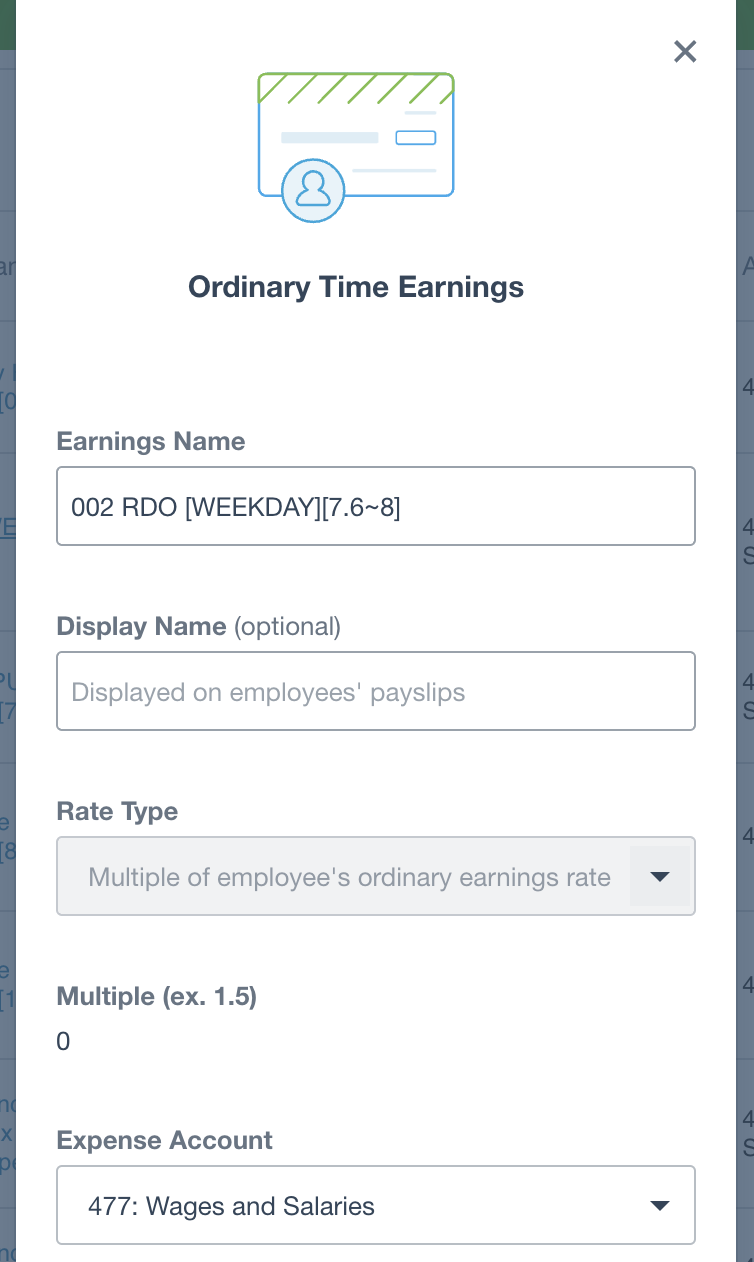
RDO setup in Xero

RDO Smart Formulas in UpSheets
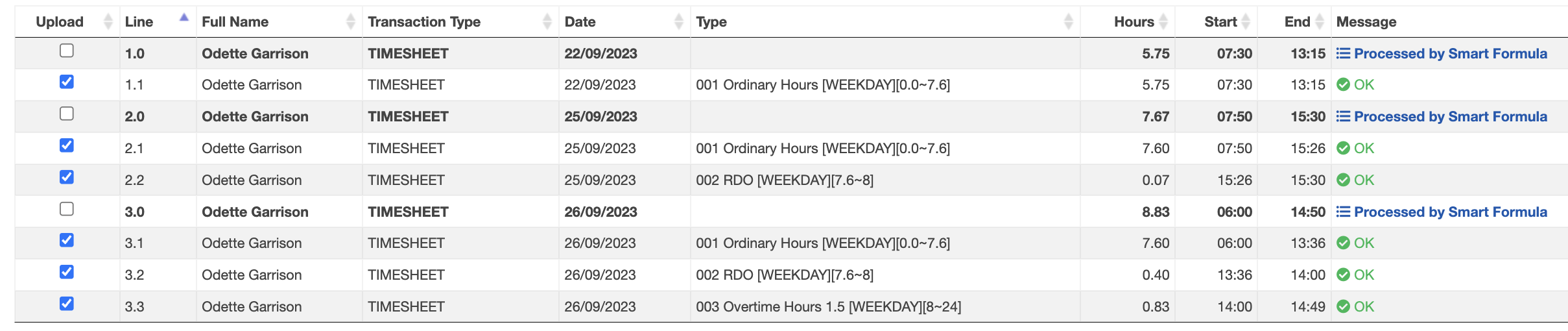
RDO timesheet processed
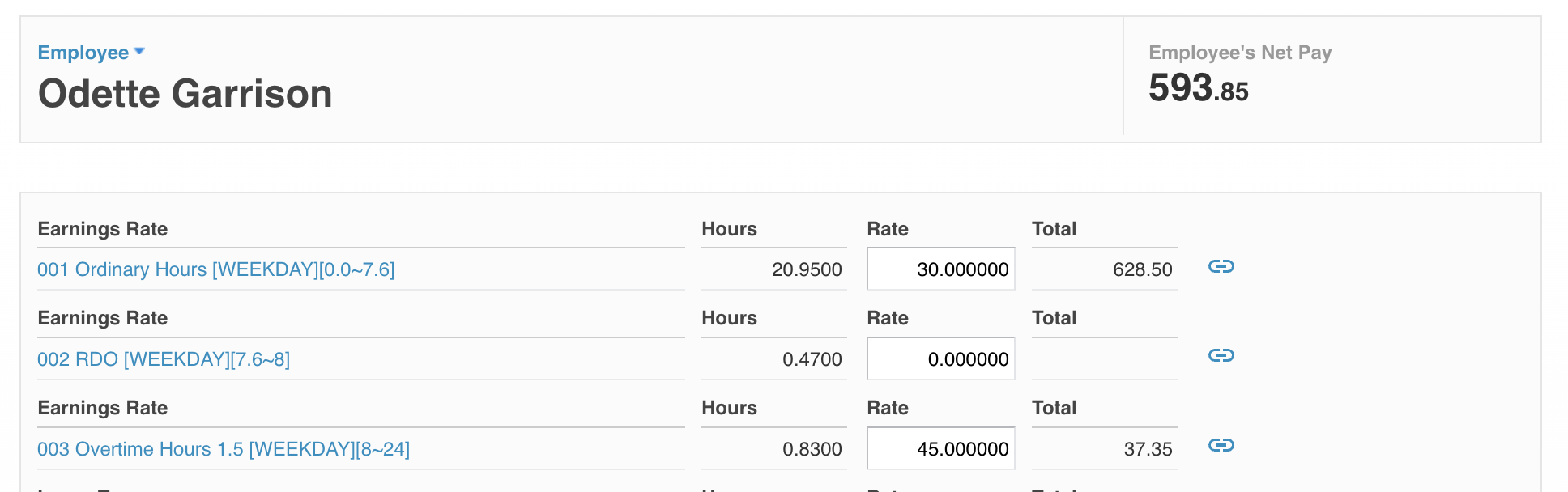
RDO on payslip in Xero
Setup with Automatic Leave Accrual
If you also want to create a leave accrual for the RDO line:- Add [LA] to the pay item name you want to base the accrual on
- Match the pay item name to the name of the leave type
- Assign the pay item to the employee pay calendar
- Assign the leave type to the employee

RDO leave type in Xero
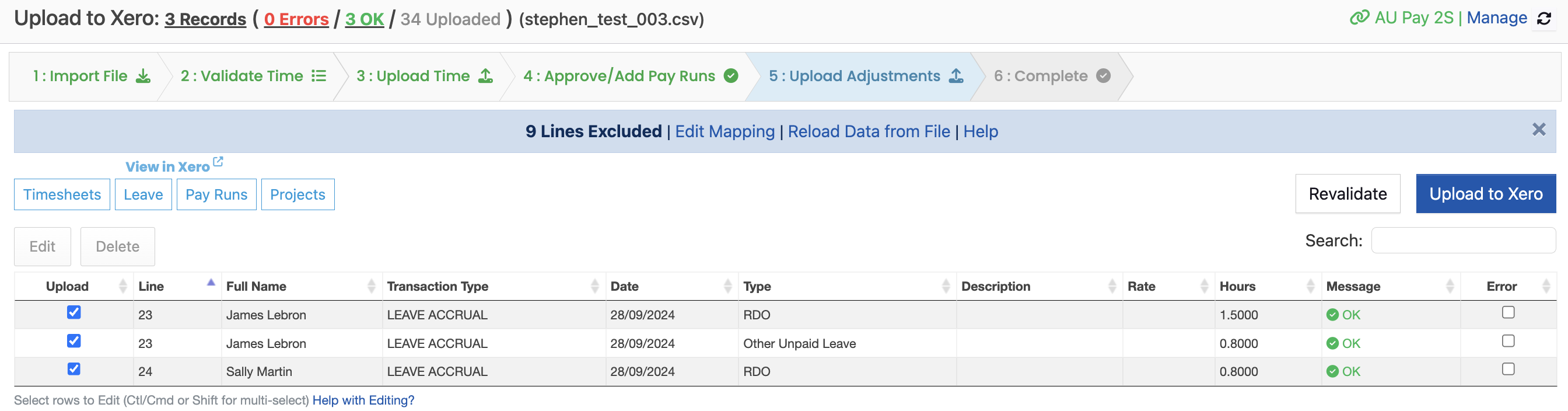
RDO leave upload
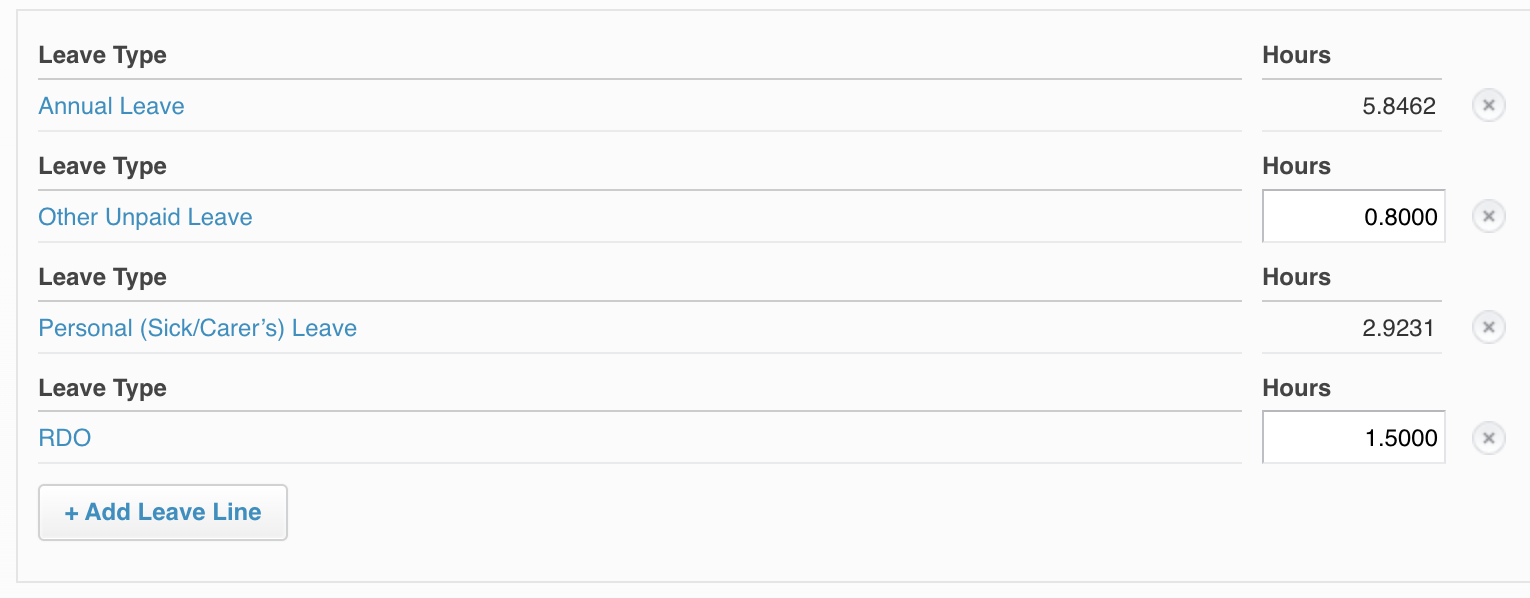
RDO leave accrual on payslip